Strophe for iOS

Turn any book into an audiobook.
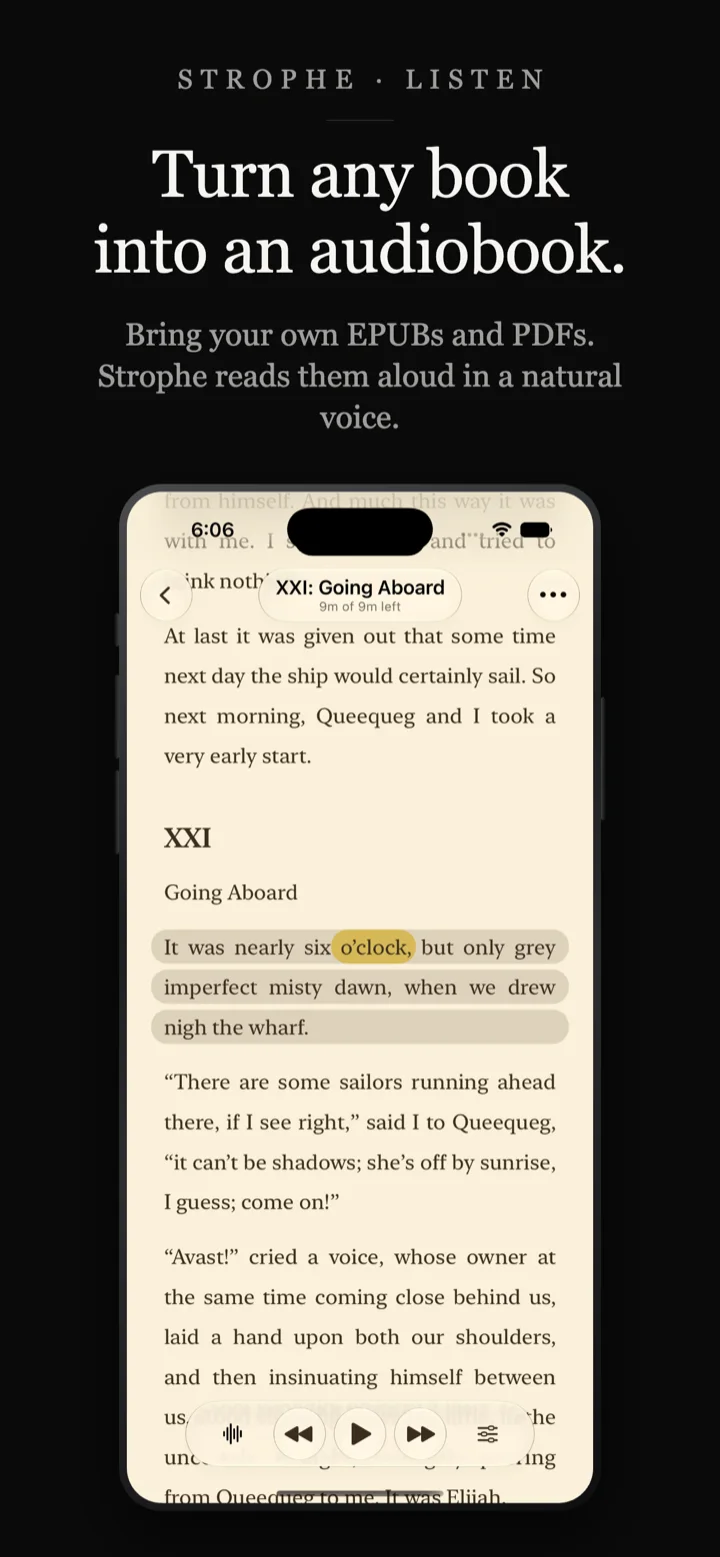
Strophe is a native iPhone ebook reader with natural text to speech built in. Import your EPUBs, PDFs and web articles, then read them or have them narrated out loud. The voices are generated on your device, so narration works offline and nothing you read is uploaded anywhere.
On the App Store Available now on the App Store.
Everything Strophe does
One app for reading and for listening, written natively for iPhone and iPad rather than wrapped from another platform.
Bring your own library
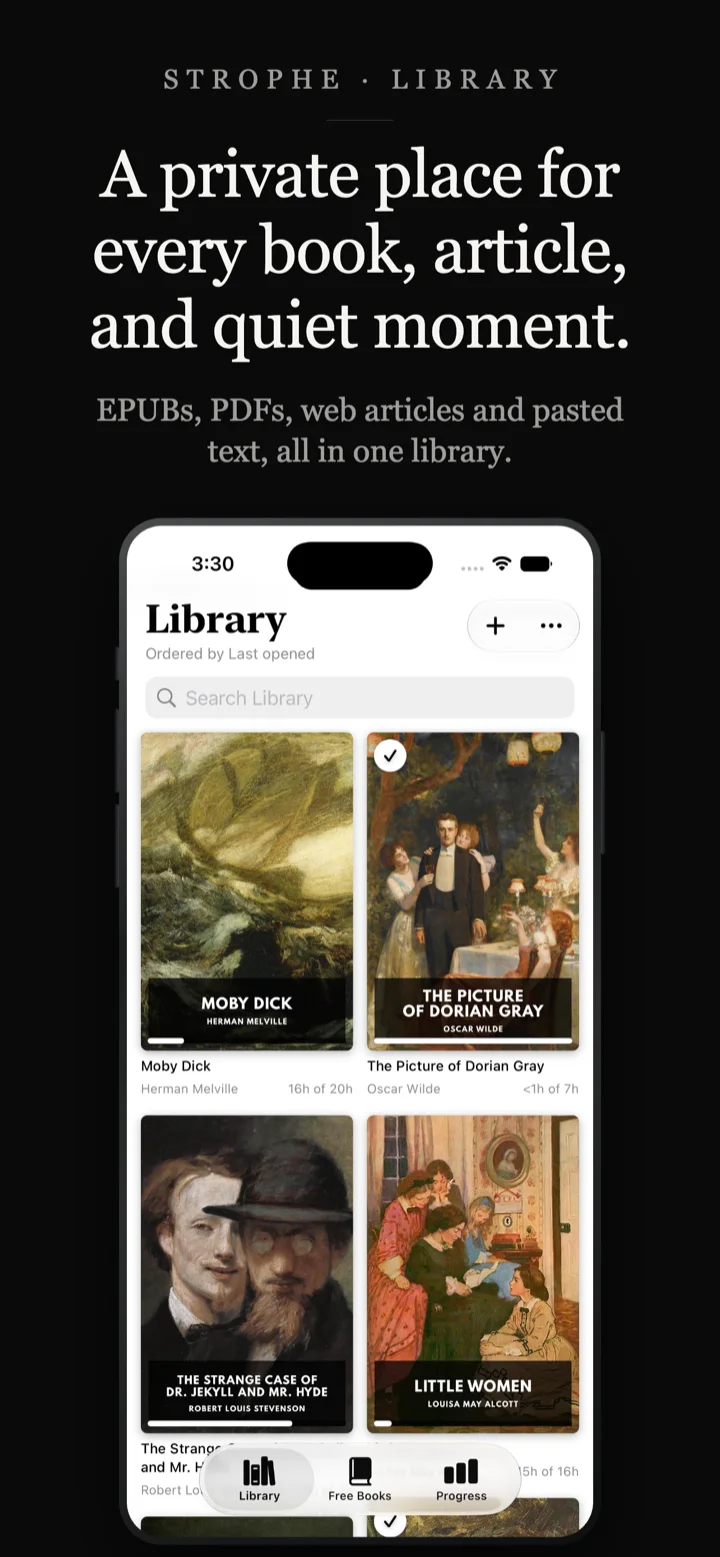
- EPUB ebooks and text-based PDFs
- Save web articles from Safari and other apps
- Paste any text you want read aloud
- Import your Instapaper library with Plus
- Custom fonts, themes and page layout
- Collections, search and editable metadata
Natural narration, generated on device
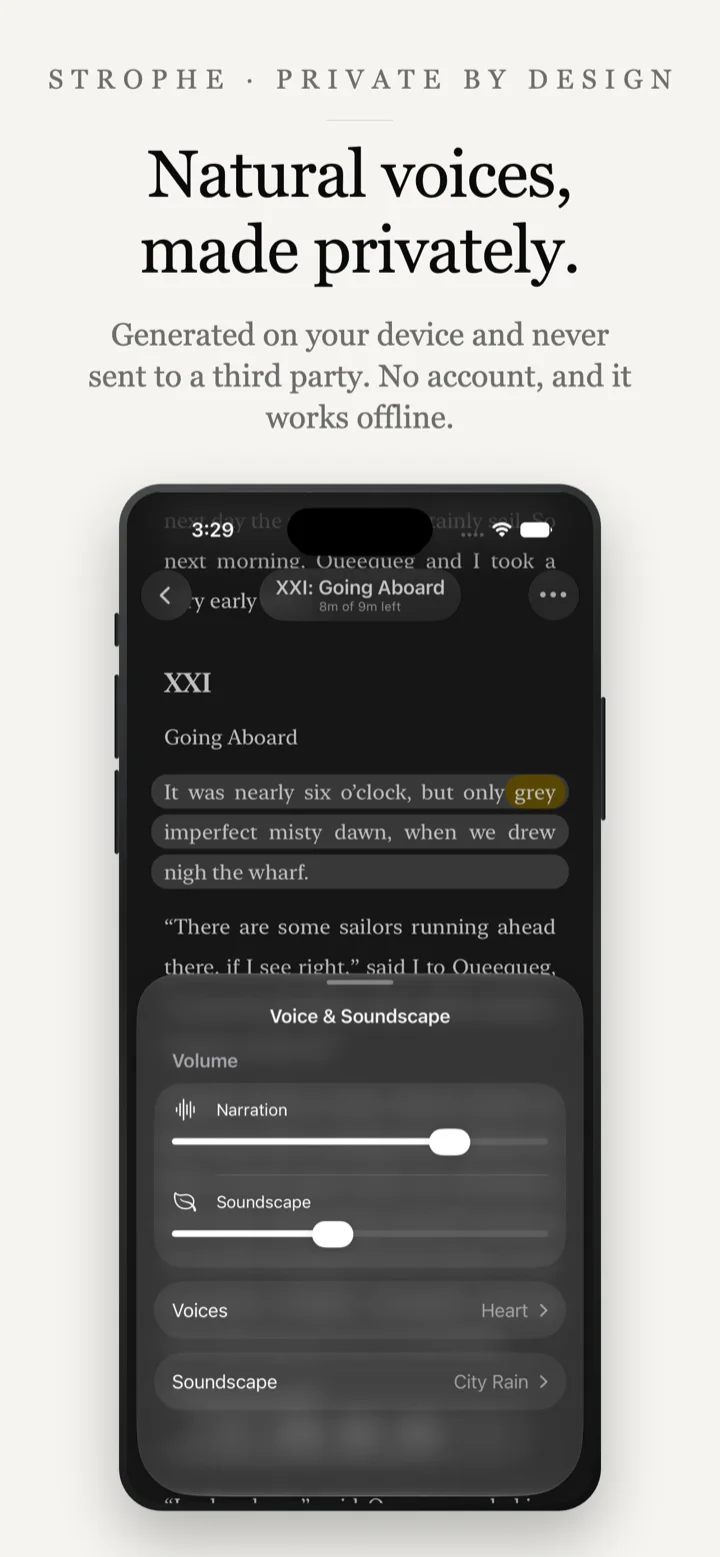
- Text to speech that runs entirely offline
- Word-by-word highlighting and auto scrolling
- Playback speed from 0.5x to 3x
- Background playback and Lock Screen controls
- AirPods and headphone controls
- Sleep timer and ambient soundscapes
Switch between reading and listening
- Reading and listening positions stay in sync
- Highlights, notes and bookmarks
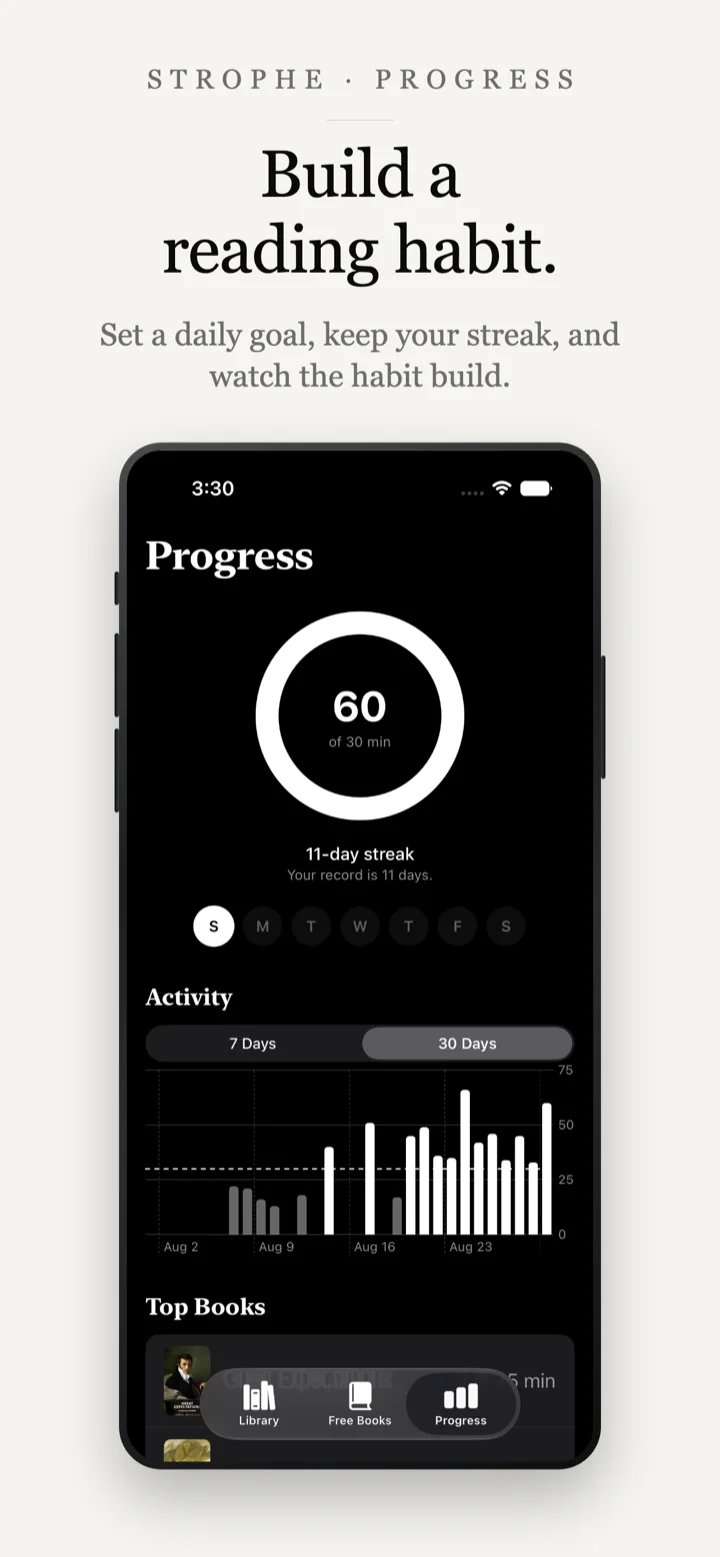
- Reading goals, streaks and statistics
- iCloud sync across your own devices
No account, no server, no tracking
- No sign up and no Strophe account
- Books are never uploaded to a narration server
- No analytics, advertising or third-party SDKs
- Your library lives on your device and your iCloud
On-device narration
Nothing you read leaves your phone
Most text-to-speech apps work by sending the passage you want read aloud to a server, which returns audio. Strophe does not do that. The speech models ship inside the app, so narration is generated on your iPhone.
Two things follow from that. Narration keeps working with no connection at all, on a plane or underground. And a private note, a draft, a confidential PDF or a book you would rather not have attached to your name is spoken by your own device and heard only by you.
There is no account to create, so there is no profile to build. The details are in the privacy policy.
Free classics
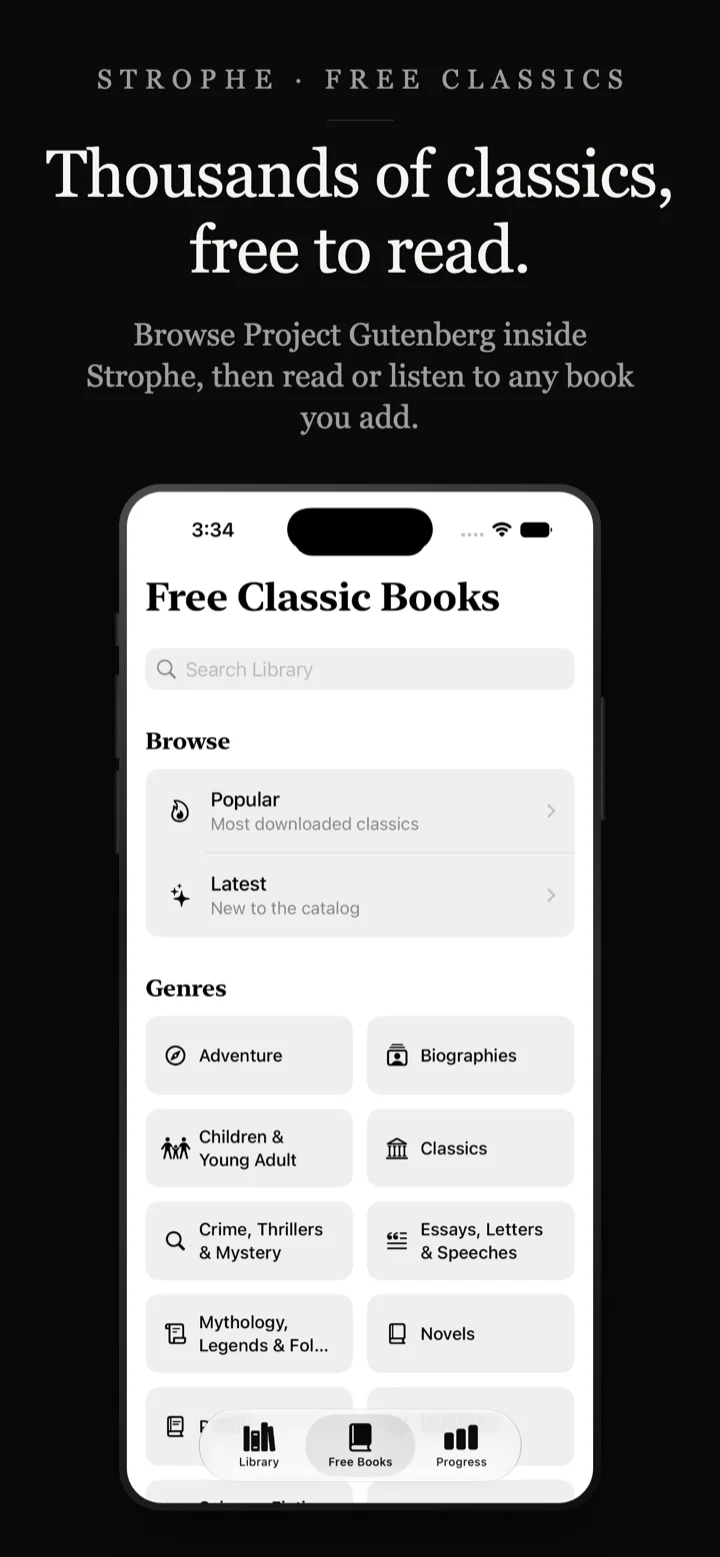
Thousands of public domain books, built in
Strophe includes a Free Books section powered by Project Gutenberg. Browse by genre or popularity, add a book to your library, and start reading or listening straight away.
Moby Dick, Little Women, Dorian Gray, Jekyll and Hyde and thousands more are there at no cost. Because Strophe narrates anything in your library, any of them can be listened to like an audiobook without paying for one.
Questions
Can Strophe read EPUB files aloud?
Yes. Import an EPUB and Strophe reads it as a normal ebook, with your own choice of font, theme and layout. Press play at any point and it narrates from there, highlighting each word as it goes. Text-based PDFs work the same way.
Does the narration work offline?
Yes. The speech models are bundled inside the app rather than called from a server, so narration works with no connection at all, including in airplane mode. Saving a new web article is the one thing that needs the internet, since Strophe has to fetch the page.
Do I need an account?
No. There is no sign up, no password and no profile. Strophe does not operate a server that stores your library, so there is nothing to log in to.
Are my books uploaded anywhere?
No. Your library is stored as ordinary files on your device, and synced through your own iCloud account if you have iCloud Drive turned on. Narration is generated locally, so no book or article text is ever sent out to be spoken. See the privacy policy for the full detail.
How is Strophe different from cloud text-to-speech apps?
It comes down to where the speech is made. Strophe generates it on your device, so it works offline and your text never goes out to be processed. Many alternatives generate speech on their servers, which needs a connection and sends them your text.
Beyond that, Strophe asks for no account and does not meter how long you listen. It is also a reader rather than a converter you paste text into, so your EPUBs, PDFs, saved articles and the Project Gutenberg catalog all sit in the same library.
What can I do without paying?
You can hold five books, and read and listen to them with no limit on how much you listen. Web articles and pasted text are unlimited on the free tier, and every voice and reading feature is included. Strophe Plus removes the five book limit and adds Instapaper import.
What happens to my books if I stop paying for Plus?
Every book already in your library stays there and stays readable and listenable, along with your highlights and notes. Nothing is locked or deleted. What stops is adding new books beyond the free five.
Where do the free classic books come from?
From Project Gutenberg, the public domain library. Strophe lets you browse it by genre and popularity inside the app, then read or listen to anything you add.
Does it work with AirPods and in the background?
Yes. Narration continues with the screen locked or the app in the background, with Lock Screen and headphone controls, plus a sleep timer for listening at night.
Strophe is available now on the App Store
Download it today. Announcements go out on X. If you want something in it, now is the time to say so.